
To report a meter reading, first log in to your dashboard.
There are two ways to access the meter reading submission page:
1. From Shortcuts (Fastest way)
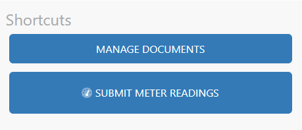
After logging in, look for the “Shortcuts” section on your dashboard.
- Click “Submit Meter Readings”
2. From the Account Menu
- Click your email address in the top right corner
- Select “Submit Meter Readings”
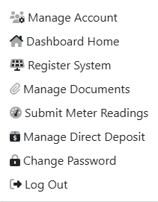
Choosing how to report your meter reading
Once you’re on the submission page, you’ll be asked to choose between two options:
- Cumulative Meter Reading
- Monthly Net Generation
⚠️ Choosing the correct option is very important
Option 1: Cumulative Meter Reading (Recommended)
This is the most common and recommended method.
Cumulative means you are entering your system’s total lifetime production (kWh).
How it works:
- You enter the full number shown on your meter or monitoring system
- This number will always increase over time
Example:
- Month 1 reading: 10,000 kWh → enter 10,000
- Month 2 reading: 10,895 kWh → enter 10,895
You will also be able to see your previous submissions on the right side of the screen, which can help you confirm your entry.
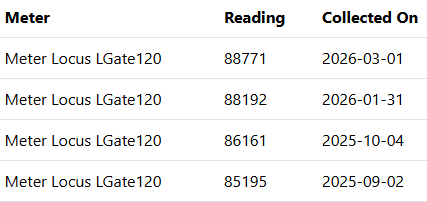
👉 This method is simpler and less error-prone, especially if you are manually reporting readings.
Option 2: Monthly Net Generation
This option is for reporting only the energy produced during a single month.
How it works:
- You must calculate the difference between your current and previous readings unless you have a monitoring platform
Example:
- Previous reading: 10,000
- Current reading: 10,895
- Monthly net = 895 kWh
👉 You would enter 895, not 10,895
⚠️ Important Notes
- Monthly net generation typically cannot be read directly from a physical meter
- You must track prior readings to calculate it correctly
- This can easily lead to errors if done manually
Recommendation
We strongly recommend submitting Cumulative Meter Readings unless:
- You have a monitoring system that calculates monthly generation for you, or
- You have received specific instructions from our team