Step 1: Log in to Sunny Portal powered by ennexOS
-
Go to Sunny Portal powered by ennexOS and log in
-
If you do not know your username or password, please contact your solar installer for assistance
Step 2: Add Sol Systems as a user
-
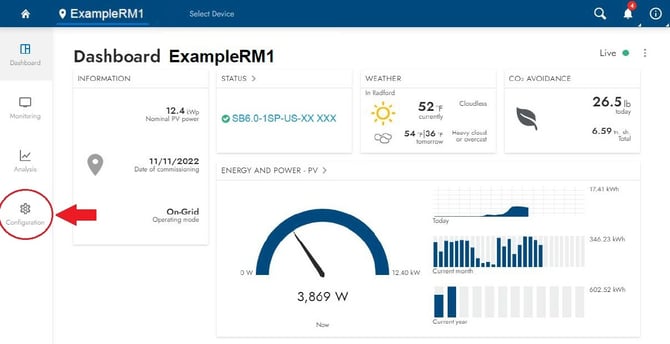
Click Configuration (gear icon) on the left side of the page
-
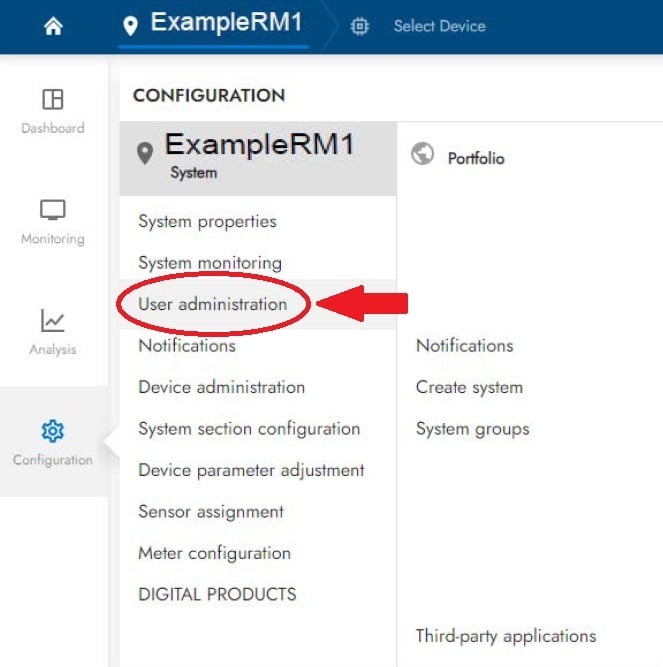
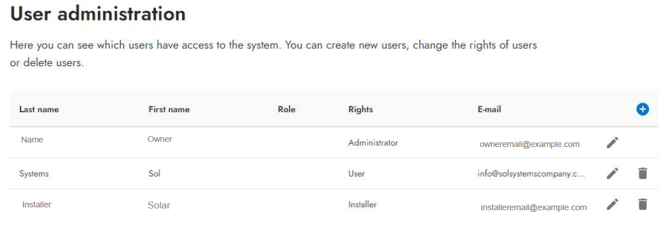
Select User administration
-
You should see your name and your installer listed
-
Click the plus (+) button to add a new user
-
Enter the required information and be sure to use the email:
info@solsystemscompany.com
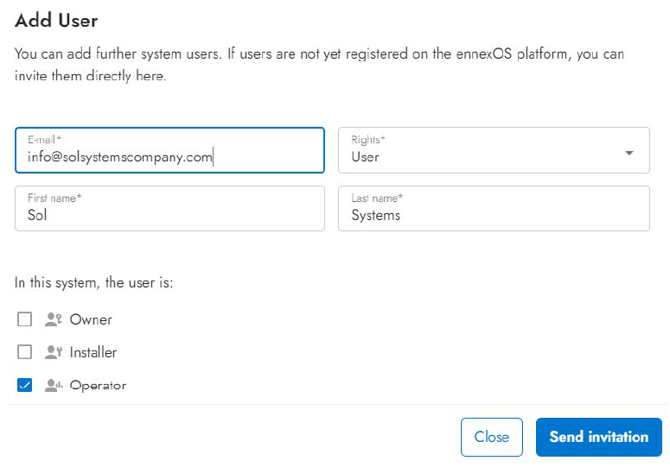
Once complete, Sol Systems should appear in your list of users.
Step 3: Record your Sunny Portal site name
Before leaving Sunny Portal, take note of the name of the remote monitoring system you just shared.
-
This name appears near the top of the page, next to the map pin and house icon
-
You will need this exact name for the next step
Step 4: Confirm your site name in the Sol Systems Dashboard
-
Log in to the Sol Systems Dashboard
-
Locate the system you are setting up and click “View”
-
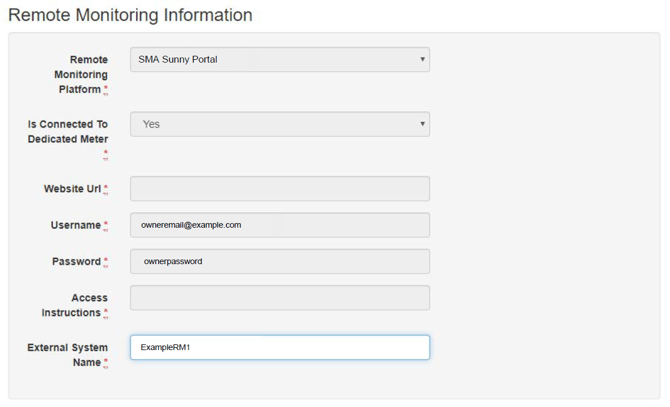
Under External System Name, enter the site name exactly as it appears in Sunny Portal
-
Click Save
What happens next?
Once setup is complete:
-
Sol Systems will automatically collect energy production data from ennexOS SMA Sunny Portal on a monthly basis
-
You will not need to provide meter readings or monthly net generation
-
Recorded production can be viewed in the Sol Systems Dashboard