
Here is a video tutorial:
Step 1: Log in to the Sol Dashboard
-
Go to the Sol Systems Customer Dashboard
-
Enter your username and password to log in
Step 2: Open Manage Direct Deposit
-
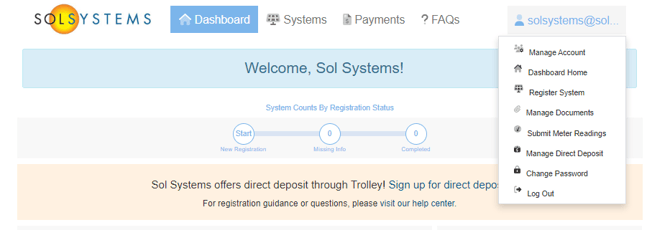
Click your email address in the top-right corner of the Dashboard
-
Select Manage Direct Deposit
Step 3: Add a payout method
-
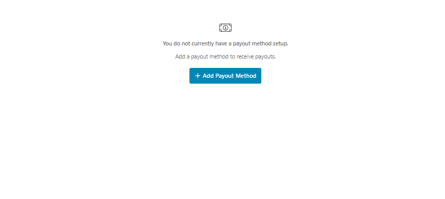
Click + Add Payout Method
-
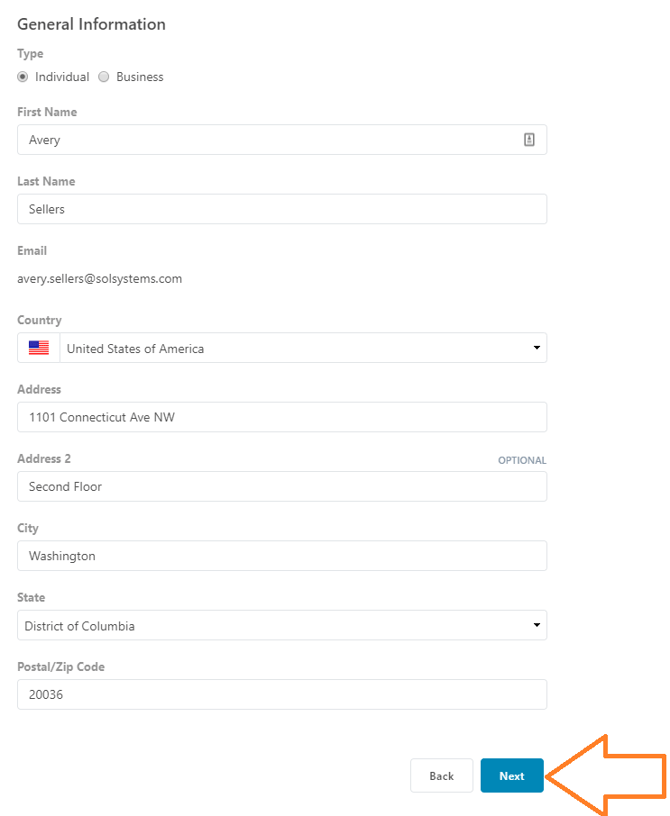
Enter your street address associated with your bank account
-
Click Next
-
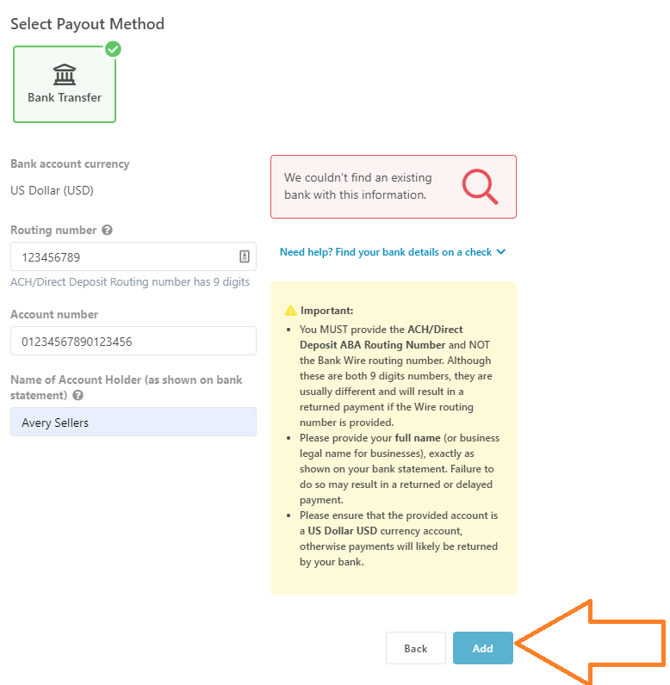
Enter your bank routing number and bank account number
-
Click Add
Your direct deposit setup is now complete.
Step 4: Confirm your payee address matches
Your payee address must match the direct deposit address on file.
To update your payee address:
-
Click Dashboard in the top-left corner
-
Click View (or Missing # Items) for your system
-
Scroll to the Payee section
-
Click Edit Payee and update the address if needed
What happens next?
Once direct deposit is set up:
-
Future eligible payments will be issued electronically
-
You can update or change your direct deposit information at any time through the Dashboard